

Team and permissions
Your team, your rules
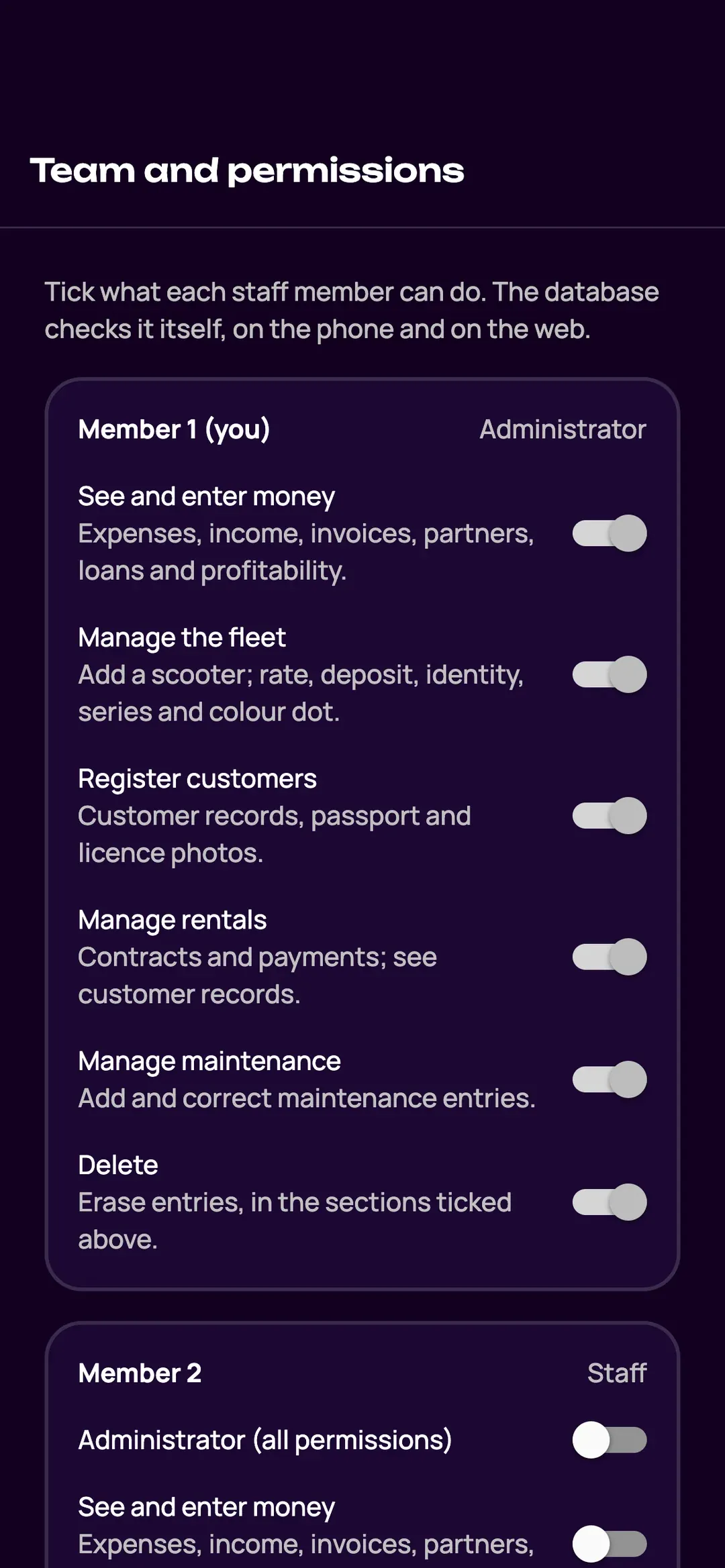
Invite your employees and choose what each one can do: money, fleet, rentals, deletion. The manager stays in control, the team works on its own.
Simple permissions
Invite a member by email and code. For each one, choose what they can do: money, fleet, rentals, deleting documents.
- Only administrators delete documents, after confirmation.
- Every check-out and return keeps the name of the employee who did it.
- The price doesn’t depend on the number of employees.
Your shop, your image
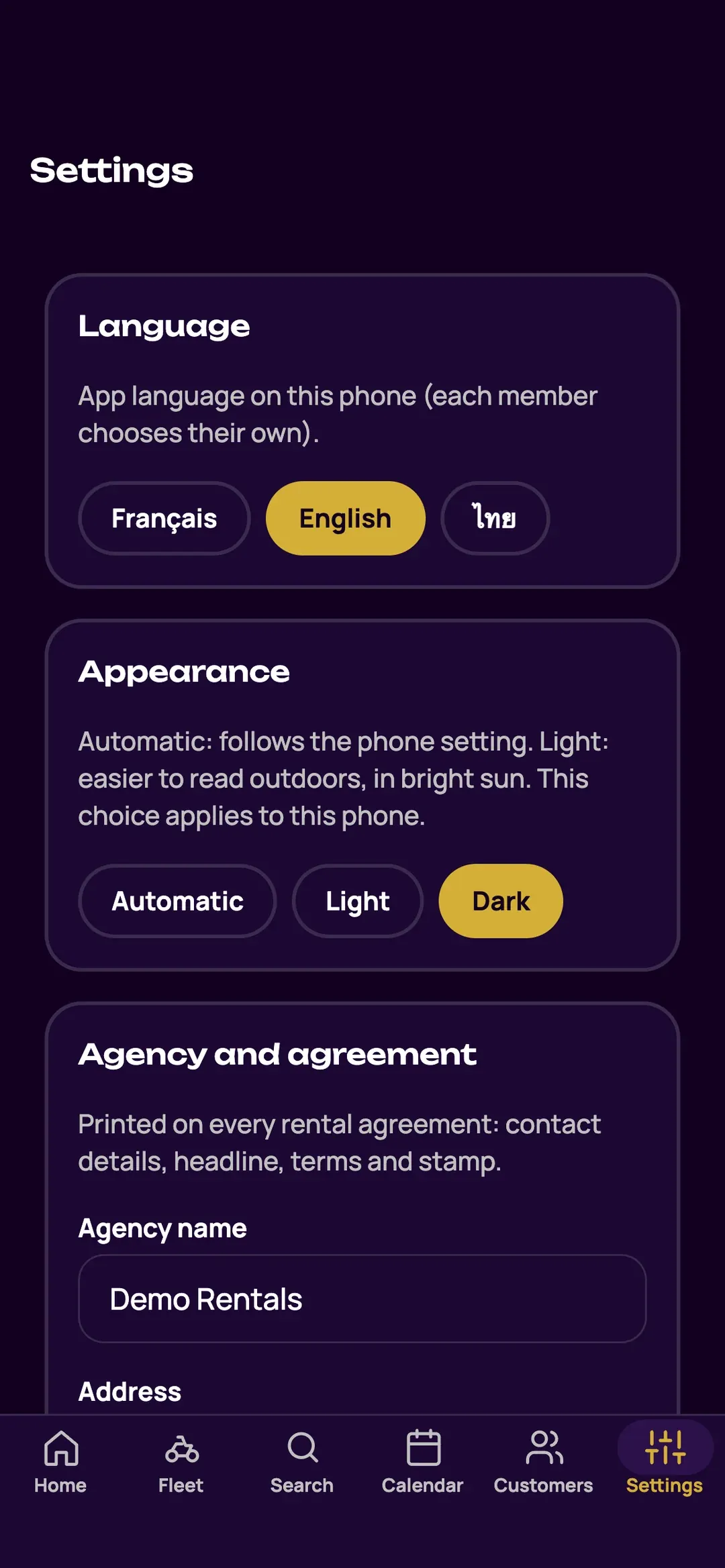
Your logo next to the shop’s name and as a watermark on every page, your agreement terms in three languages, your stamp on documents. Each person chooses their language and appearance: light in the sun, dark in the evening.
- On the web and in the app: same features, same data.
- An interface in English, French or Thai, chosen by each person.
- Automatic, light or dark appearance.
Example
A new employee joins for the high season. The manager invites them and gives them check-outs and returns, but not money or deletion. At the end of the season, the manager removes their access.
Frequently asked questions
How many people can use Zefleet?
Your whole team. The price depends on the number of scooters, not on the number of employees.
Can an employee delete an agreement?
No. Deleting documents is reserved for administrators, after confirmation, and a replaced photo is kept.
Can I use Zefleet on a computer and on a phone?
Yes: the management website on a computer or tablet, and the app on iPhone, with the same features and the same data. An app for Android (Samsung…) is planned.
Try Zefleet free for 5 weeks
Tell us how many scooters you rent and in which town: we set up your shop and enter your fleet for you.
We reply by email. No commitment: stop whenever you want.
Screenshots of the Zefleet app, with fictitious data.